
Download Facebook Messenger – free chat, video call, group rooms
Overview
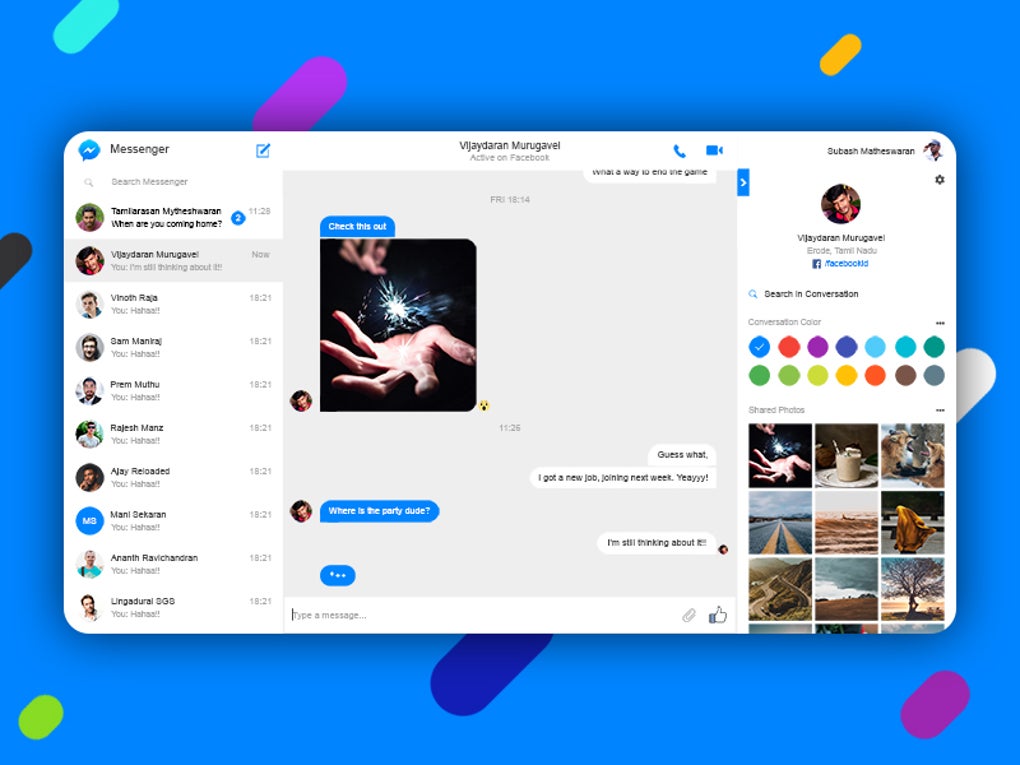
Facebook Messenger is a free, cross‑platform messaging tool that grew out of the massive Facebook social network. It gives users the ability to send instant text messages, voice notes, photos, videos, stickers, GIFs and files to anyone with a Facebook account – and, thanks to recent updates, even to contacts who do not own a Facebook profile. The app’s core promise is to keep conversations fluid and immediate, no matter whether you’re on a desktop browser, a Windows PC, a Mac, an Android phone or an iPhone.
In addition to classic one‑on‑one chats, Messenger supports group conversations, customizable chat themes, dark mode, and a rich set of emojis and AR filters that make each exchange feel personal. The standout addition in recent years is Messenger Rooms, a video‑conferencing feature that can host up to 50 participants with no time limit, directly challenging dedicated services like Zoom. Users can create a room from the app, share a link, and even lock the room with a password for extra security.
Because Messenger is tightly integrated with the Facebook ecosystem, it pulls in contacts automatically, offers seamless transition from text to voice or video calls, and provides AI‑driven background effects that enhance the visual experience. Overall, Facebook Messenger positions itself as a comprehensive communication hub that blends casual chatting with powerful group video capabilities, all while staying free and secure for personal and professional use.
Key Features
- Instant text messaging with support for emojis, stickers, GIFs, and rich media attachments.
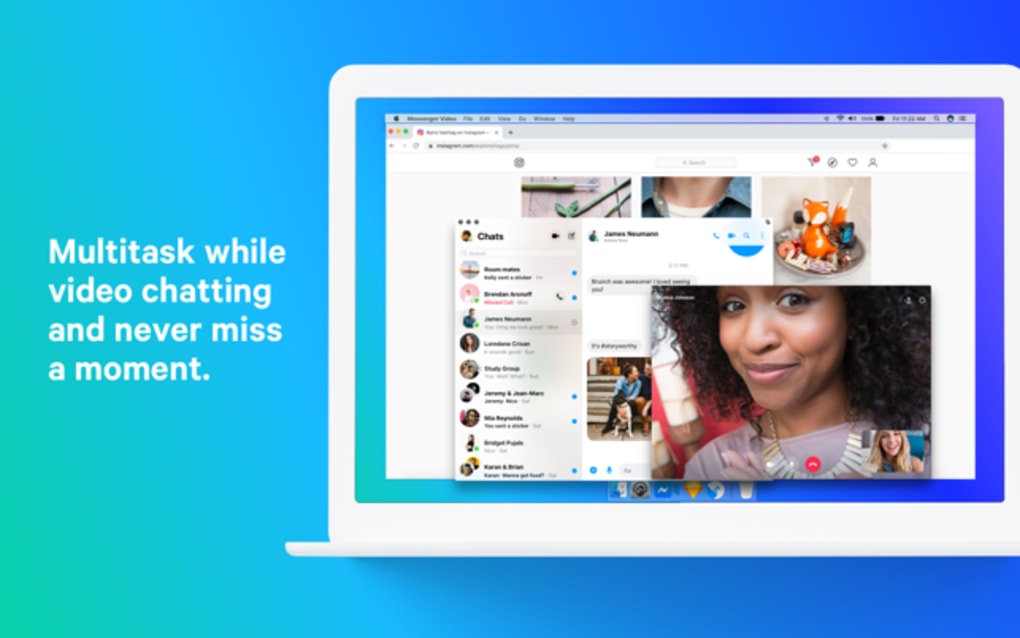
- Voice and video calls that switch effortlessly from one‑to‑one to group conversations.
- Messenger Rooms – up to 50 participants, no time limit, password protection, and guest access without a Facebook account.
- AI‑enhanced 360‑degree backgrounds, mood lighting, and AR effects for video calls.
- Seamless integration with Facebook friends list, allowing automatic contact syncing.
- Group chat management – rename groups, set custom themes, mute participants, and pin important messages.
- File sharing for documents, PDFs, images, and videos up to 25 GB per file.
- Dark mode and customizable chat bubbles for a personalized visual experience.
- Cross‑platform availability – native apps for Android, iOS, Windows, macOS, and a web version.
- End‑to‑end encryption for secret conversations and two‑factor authentication for added security.
Installation & Usage Instructions
Getting started with Facebook Messenger is straightforward regardless of your device. For mobile users, open the Google Play Store on Android or the App Store on iOS, search for “Facebook Messenger,” and tap “Install.” The download size typically ranges between 60‑80 MB, and the installation process completes in under two minutes on a typical 4G connection. Once installed, launch the app and sign in with your Facebook credentials; if you don’t have a Facebook account, you can create a new one directly from the sign‑in screen or use a phone number to register.
After logging in, the app will automatically import your Facebook friends, displaying them in the “People” tab. To start a conversation, simply tap a contact’s name, type your message, or press the microphone icon for a voice note. For video calls, tap the camera icon at the top right of a chat screen; the call will begin instantly, and you can add more participants by tapping the “Add People” button.
To create a Messenger Room, navigate to the “People” or “Chat” page, select “Create a Room,” set optional password protection, and share the generated link via any channel – Messenger, email, or even a QR code. Desktop users can download the Messenger for Windows or macOS client from the official Facebook site, or they can access the web version at messenger.com, which offers the same core functionality without any installation. For best performance, keep the app updated; automatic updates are enabled by default on mobile platforms, while desktop users receive prompts when a new version is available.
Compatibility, Pros & Cons
Facebook Messenger runs natively on Android 5.0+ smartphones and tablets, iOS 12+ devices, Windows 10/11 PCs, and macOS 10.13+ computers. A fully featured web client is also available at messenger.com, supporting any modern browser such as Chrome, Edge, Safari, or Firefox. Because the service relies on an internet connection, both Wi‑Fi and cellular data work seamlessly, though video calls consume more bandwidth and benefit from a stable 4G/LTE or broadband link.
Pros
- Completely free with no hidden subscription fees.
- Robust feature set that combines chat, voice, video, and group rooms.
- Unlimited video call duration and up to 50 participants per room.
- Guest access for non‑Facebook users makes collaboration easy.
- Strong integration with Facebook’s social graph for quick contact discovery.
- Regular security updates and optional end‑to‑end encryption.
- Cross‑platform consistency – the same experience on mobile, desktop, and web.
Cons
- Requires a Facebook account for full functionality, which some users may find intrusive.
- Data usage can be high during long video conferences.
- Custom virtual backgrounds are limited compared to competitors like Zoom.
- Occasional notifications from Facebook can be distracting if not muted.
- Large file transfers may be throttled on slower networks.
In our testing, Facebook Messenger proved to be a reliable and feature‑rich communication hub. The addition of Messenger Rooms bridges the gap between casual chats and professional video meetings, delivering a smooth experience without the 40‑minute time cap seen on many free conferencing tools. While the need for a Facebook login can be a hurdle for privacy‑conscious users, the app’s extensive media support, AR filters, and tight integration with existing social contacts make it a compelling choice for both personal and small‑team collaboration.
Frequently Asked Questions
Is Facebook Messenger free to use?
Yes, Messenger is completely free. There are no subscription fees for texting, voice calls, video calls, or using Messenger Rooms.
Can I join a Messenger Room without a Facebook account?
Absolutely. The room creator can share a link that works for anyone, even if they don’t have a Facebook profile. Guests can join through the web browser or the Messenger app.
What is the maximum number of participants in a Messenger Room?
A single Messenger Room can host up to 50 participants simultaneously, with no time limit on the call.
Is end‑to‑end encryption available on Messenger?
Messenger offers “Secret Conversations” that provide end‑to‑end encryption. Regular chats are encrypted in transit, but not end‑to‑end by default.
How much storage does Messenger use for media files?
Media files are stored in Facebook’s cloud, not on your device, unless you choose to download them. This keeps local storage usage low, but you should be aware of data consumption on mobile networks.
Conclusion & Call to Action
Facebook Messenger has evolved from a simple chat overlay into a full‑featured communication platform that rivals dedicated video‑conferencing tools. Its seamless integration with the Facebook ecosystem, generous participant limits, and zero‑cost model make it an attractive option for both casual conversations and small‑team meetings. While the requirement for a Facebook account may deter some privacy‑focused users, the app’s robust security features, frequent updates, and cross‑platform availability ensure a reliable, secure, and enjoyable messaging experience. If you’re looking for a free, secure, and feature‑rich app that lets you text, call, and host large video rooms without time restrictions, download Facebook Messenger today and start connecting instantly.
Download Facebook Messenger now and enjoy free, secure messaging across all your devices.







